New store owner
You are deciding whether a named service is relevant before touching product pages.
Establish what the name refers to, then compare any stated capabilities with your actual task.
what is soroStorefront SEO
A Shopify catalog can accumulate vague product titles, duplicate descriptions, and collection pages that do not answer shoppers’ searches. If you are researching soro seo shopify, start with a page-level review rather than assuming a particular app or integration exists. This guide separates work you can verify in your store from claims you should check before relying on an outside service.

Similar search terms can point to different sites or services. Check the destination and its published documentation before granting access to a Shopify store.
These workflows use pages and evidence a merchant can inspect. They do not depend on an unconfirmed Soro integration.
Choose related products and record each page’s title, meta description, primary heading, URL, and visible product details. Mark repeated text and missing specifications. Search for a representative item to see whether its snippet matches the page shoppers reach.
Identify the search intent behind a collection, then check whether its name, introduction, and product selection serve that intent. Write a useful introduction in the store editor and keep filters navigable. Avoid adding keyword-heavy copy that obscures the products.
Preview edited pages on mobile, test links, and confirm that claims match the products. After publication, inspect the live page and monitor search performance over time. Indexing and ranking changes are not immediate or guaranteed.
Consider a product called Linen Table Runner. The editorial goal is to replace a generic search snippet with accurate details a shopper can use.
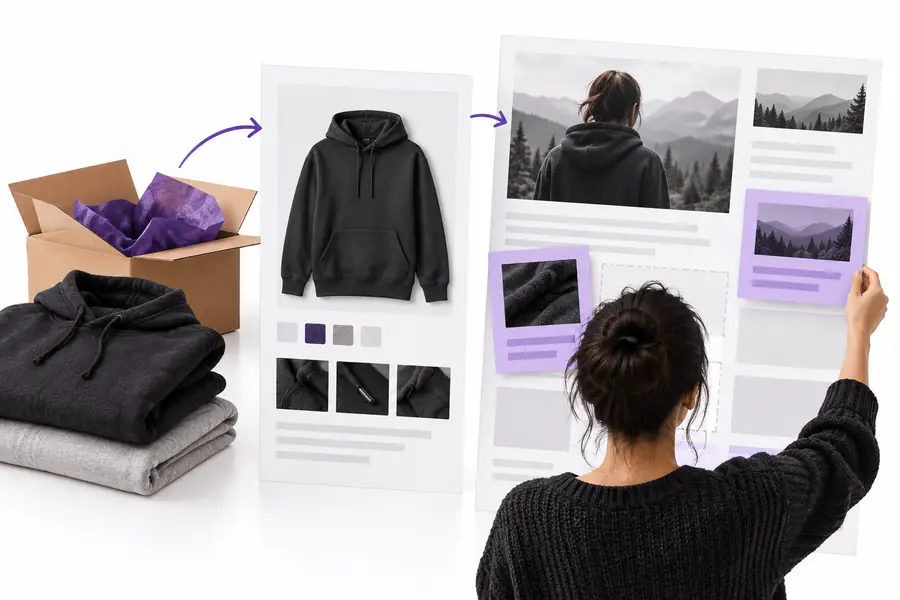 Before: Linen Table Runner
 After: Washed Linen Table Runner, 180 cm
Treat an SEO suggestion as a draft until its facts, permissions, and published result have been checked.
Product facts
Store-editor review
Check the listing against your inventory and packaging.
Outside-tool review
Verify every suggested size, material, and benefit against the product.
Page titles
Store-editor review
Edit the title in the relevant Shopify page settings.
Outside-tool review
Confirm where a proposed title would appear before applying it.
Descriptions
Store-editor review
Write for the specific product and shopper intent.
Outside-tool review
Reject generic copy or claims the listing cannot support.
Collection pages
Store-editor review
Check navigation, products, and visible introductory text.
Outside-tool review
Review recommendations in the context of the live collection.
Permissions
Store-editor review
Know which staff members can edit or publish.
Outside-tool review
Inspect requested access before connecting any service.
Publication
Store-editor review
Preview, publish, and inspect the live page.
Outside-tool review
Check whether changes require manual approval or take effect elsewhere.
Results
Store-editor review
Use search data to assess changes over time.
Outside-tool review
Do not treat a tool’s score as a ranking guarantee.
Pick a small set of pages you can verify, rather than rewriting a whole catalog on the strength of a single recommendation.
You are deciding whether a named service is relevant before touching product pages.
Establish what the name refers to, then compare any stated capabilities with your actual task.
what is soroSimilar product names have made search snippets difficult to distinguish.
Check the precise service identity before sharing catalog data or adopting suggested titles.
trysoro vs soro seoYour team wants to know whether an online workflow fits its existing review process.
Verify the available surface and access requirements before planning a handoff.
trysoro online appA draft description looks polished but includes unverified product benefits.
Keep human fact-checking in the workflow, regardless of how the draft was produced.
trysoro aiIf soro seo shopify led you here, bring a sample product page, a collection page, and your questions about access to the destination. Check its current documentation yourself; this guide does not establish that the partner offers a Shopify app, automated publishing, or any particular SEO result.
Visit partner siteThe search term alone does not establish that a Shopify app exists or that a particular service is its publisher. Check the current Shopify App Store listing or the service’s own documentation before treating an integration as available.
Do not assume automatic editing or publishing from a search result. Verify the service’s current capabilities, requested permissions, and approval steps before connecting it to a store.
Start with the product title, visible description, search listing, images, and factual specifications. Confirm that each reflects the item being sold and gives shoppers information they can use.
A clearer description can help communicate what a page offers, but it does not guarantee a ranking improvement or control the snippet shown for every search. Assess changes alongside page relevance and search performance over time.
Only after confirming who operates it, what access it requests, and what it will change. Use the minimum permissions appropriate to the task and review proposed edits against your product facts before publication.